del.icio.us custom size

Google Docs Presentation

I am taking an online course from Region One in Texas. "Region One 2.0: 23 Things is based on the Public Library of Charlotte Mecklenburg Countys Learning 2.0 Program, created by Helene Blowers, on CSLAs School Library Learning 2.0, Spring Branch ISDs Library2Play and other similar programs from around the world under a Creative Commons license. http://esc1library.blogspot.com/
Showing posts with label 21st-Century Learner. Show all posts

Sunday, August 17, 2008

Thing #15 Web 2.0, Library 2.0 and the future of libraries (Week 6 Tagging, Folksonomies & Technorati)


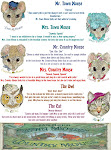
I did the above word/tag clouds for another project I am working on.

It has been a few days since I have worked on the class. But not really. I have gotten permission to teach to teachers on my campus about Classroom 2.0. So, I have been going back to learn further about each subject in this workshop. I am making it with the major topics without so much Library. I have started another blog and am going to build it up so it will be a tutorial/workshop. I have not figured it all out yet, but an getting better at it. I have not made the blog public yet. I have to give the names of the blogs and Wikis I want unblocked to our technology person. So I am checking out several of each. I could do just one of each, but I want to give the choice to the teachers. I figure three of each would give them a choice. That would also give them a chance to use one they know and use if they use them. If you have suggestions of what blog or wiki sites would be best, I would appreciate your input.

I would also appreciate your input of which topics or sites to bring up. I will be adding the obvious topics.
  • Why we need it.
  • Sites and videos for them to check out.
  • Lesson plan sites with use of web 2.0 things. I have found several of these but could use more.
  • I am breaking it down into sections... Blogs, OpenID, Wikis, Document tools, Podcasting, Technorati, Del.icio.us, Tagging, etc..

I will be teaching this on October 10th, during our inservice. So, I hope to have the blog ready at that time. I will be giving an overview of the Web 2.0, Classroom 2.0, and then introduce the Blog so they will be able to work on their own needed areas. If you have some thoughts on any of this, please, let me know. I figure to have them do similar to what we are doing but expect a slower pace. Some may know more than I, most will know less. I want to extend each of them as best I can.

I appreciate any and all input.... Thanks!

Wednesday, August 13, 2008

Thing #15 Web 2.0, Library 2.0 and the future of libraries (Week 6 Tagging, Folksonomies & Technorati)

Today, I found the site about L4L which deals with the Standards for the 21st-Century Learner and it being implemented into the Library in Fall 2008. That will change our lesson plans and classes as we know it. I know teachers and Librarians will figure the changes will not happen. Why? Because, they are taught a lot of new things and for a year they put effort in it due to being watched. The next year they will keep it up a little and the 3rd year they will stop using it all together use very little of it.

The difference is they will have to change for this one. When computers came out the same thing happened. Thirty years later, people still don't know how to use computers. The difference is this time it will be backed with the standards, which we didn't have before. We all need to realize this and learn for the betterment of our students. Library 2.0 and Web 2.0 blends in well with the new changes due to the 21st Century learner. It will be daunting at first but with workshops and direction we will take a big step into the 21st Century.

This is all being changed in every discipline. It is all dealing with higher level thinking.

AASL, Intellectual Freedom, 21st-Century Learner:
http://www.aasl.ala.org/aaslblog/2008/07/16/aasl-news-18/http://www.ala.org/ala/aasl/aaslproftools/learningstandards/standards.cfmhttp://www.ala.org/ala/aasl/aaslproftools/learningstandards/AASL_LearningStandards.pdfhttp://www.aasl.ala.org/aaslblog/2008/07/24/aasl-charlotte-and-web-20/

What Is Intellectual Freedom? What is the ALA Code of Ethics? How does it affect me?http://www.ala.org/ala/aasl/aaslissues/aasl_intellectual_freedom_brochure.pdf

When I went back to work yesterday I noticed all the changes to Destiny. They added a section called Destiny Quest. Destiny Quest is helping us take that step. When I look at things on the Internet now I see all the changes Web 2.0 has made. I noticed the Educational websites haven't started like the rest. Is this going to stay this way? Will the Educational sites get on board. The major sites like National Geographic and others of that caliber.

Inspirations - Blogosphere from Teachers.TV --- This video shows how they use the blog in the classroom in England.
http://www.teachers.tv/video/167

Saturday, August 9, 2008

Thing #14 Technorati and learn how tags and Thing #15 Web 2.0, Library 2.0 and the future of libraries (Week 6 Tagging, Folksonomies & Technorati)

Twitters or blogs could be used for talking about or critiquing a book in a class or in reading club. (Writing journals every day.)

I find I am in the middle of Web 2.0 and regular library the part I have not used I did not know.

I claimed my blog last Friday and at work today I was looking something up on Google reader and I saw my blog on it, cool. I also went to Technorati and and it had my blog on the things I had RSS'ed. It was a neat feeling and also makes you think about the thought you could be there for a long time. Kind of made me think about how a writer feels when you write your first book or how I felt after seeing my artwork in someones house I didn't know. It also made me think about my mistakes being around for a long time. Kind of bittersweet.

Today, I found the site about L4L which deals with the Standards for the 21st-Century Learner and it being implemented into the Library in Fall 2008. That will change our lesson plans. This is all being changed in every discipline. It is all dealing with higher level thinking.

AASL, Intellectual Freedom, 21st-Century Learner:
http://www.aasl.ala.org/aaslblog/2008/07/16/aasl-news-18/
http://www.ala.org/ala/aasl/aaslproftools/learningstandards/standards.cfm
http://www.ala.org/ala/aasl/aaslproftools/learningstandards/AASL_LearningStandards.pdf
http://www.aasl.ala.org/aaslblog/2008/07/24/aasl-charlotte-and-web-20/

What Is Intellectual Freedom? What is the ALA Code of Ethics? How does it affect me?
http://www.ala.org/ala/aasl/aaslissues/aasl_intellectual_freedom_brochure.pdf

I know this is a bit off the topic but then again it isn't.

I always detested having the Google Tool bar on my computer so I had it turned off. I was doing these THINGS and I saw something that talked about bookmarks. It said you could use the bookmarks at work and at home. This got me interested in using the Google Tool Bar. So, I opened it up and saved some of the sites there. I didn't read any where on how to use it so I added to Bookmarks like I do on Favorites. Then, last week, I noticed that in the dialog box it said to label it. I labeled it like I would a tag, without the comma in-between the words.

Part of the week went by and I kept adding to the Bookmarks. As I learned more about Tagging, I began to realize labeling and tagging were one and the same. Now, I am on my way to Tagging like a pro. I understand that Tagging can be daunting when you look at the Tag cloud, but just like in writing curriculum, you have to account for the differences in people. For example, some teachers will put 1st while others put first. When trying to search for something I find I have to second guess the tags put on the website. Though I have gotten good at searching on Google, I find this tag cloud much appreciated. So, yes, it is hard to look through the Tag Cloud but then when you stumble on your terminology it is easier. The cloud is a plus also. I also figured out how to use the tagging.

I learned how to tag something as Professional Development, Library, K-3, Lower Elementary, Fairy Tales, Online Stories, etc. and realized how nice it is not go through my file folders trying to figure out which file folder I put the websites in. I am able to work on a project and go to one file folder and know all the sites I need for the project will be there.

So, this means I need to go back and change my tags here.